Report in three steps
No account, no friction and nothing standing between a worry and the people who can act on it.
Two-way anonymous reporting for workplaces, schools and communities. Concerns reach the right people early and nobody’s identity is ever collected.

Built for organisations that take speaking up seriously
01How it works
The same four steps for everyone involved, with nothing to install and nothing to sign up for.
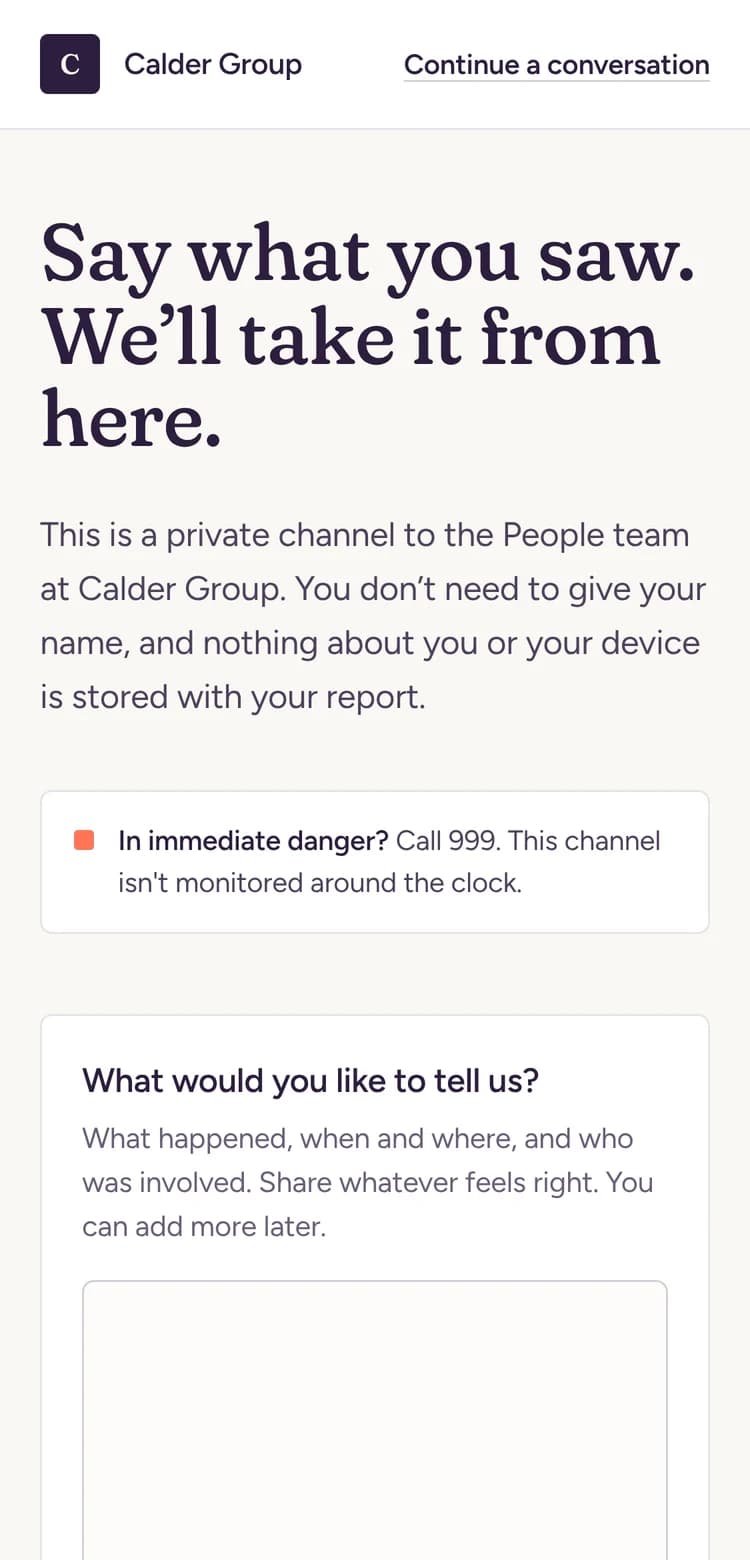
Anyone with your link or QR code writes down what happened in their own words. There’s no account, no email address and nothing about their device is kept.
Takes about a minute
When they send, they get a one-time key. It’s the only way back into the conversation and only they ever hold it.
Stored as a hash, never readable
Your team picks the report up from one queue and asks what they need to know. The reporter answers with their key and stays anonymous throughout.
Replies, notes and referrals in one place
Record the outcome and tell the reporter. Every step is timestamped, so you can show exactly how each concern was handled.
Ready for an audit or a board
Anyone with your link or QR code writes down what happened in their own words. There’s no account, no email address and nothing about their device is kept.
Takes about a minute
02Why it matters
The people closest to a problem usually notice it first. Without a safe way to say so, it waits and it grows.
Concerns surface while they’re still a conversation, not a grievance.
Every reply and outcome is on record for your board, auditors or inspectors.
Early, informal fixes cost a fraction of formal disputes and lost staff.
Eleven months, two resignations and a claim.
An illustrative example.
03Features
No account, no friction and nothing standing between a worry and the people who can act on it.
The safeguards live in the database, not just on the screen.
Ask for detail and share outcomes without ever breaking anonymity.
See what needs a reply first. Prioritise, add private notes, refer on and close every case from one place.
04Access
safespace runs in the browser. Share one link or a QR code and anyone can raise a concern in a few taps.
A phone on the shop floor or a laptop at home. The page adapts to whatever it lands on.
Put it on a poster, the intranet or an email signature. Generate the QR code from your dashboard.
No app, no account and no password to remember.
Set the greeting, categories and emergency notice so it sounds like you.
05Use cases
Wording, categories and who receives each report are yours to set, so it fits wherever it’s used.
A route to HR that doesn’t go through someone’s line manager.
Employees, contractors and agency staff
HR, compliance or an ethics lead, with the board on read-only
The intranet, payslip footers, break room posters and induction packs
Bullying and harassment, Discrimination, Health and safety, Fraud and financial, Misconduct
06Board reporting
Every case already records when it arrived, how quickly you replied and how it ended. safespace turns that into a report you can hand over in a few clicks.
Counts and timings only. No names and no message content, ever.
No. They open your link or scan your QR code, write what happened and send it. They get a one-time case key to come back to the conversation.
Not through safespace. Nothing about the reporter or their device is stored with the report and your team only ever sees what the reporter chooses to write.
Keys are stored as hashes, so nobody can look them up or recover them, including us. The reporter can send a new report and mention the earlier one.
It gives you a dedicated, confidential route for concerns and a timestamped record of how each one was handled. It supports your existing policy rather than replacing it.
Yes. Your team name, welcome message, emergency notice, categories and reply templates are all set from the dashboard.
Only the people you invite. Leads can reply and manage cases, while board and audit members get read-only access.
Nothing for reporters. Your team works from the dashboard in any modern browser too.

Tell us about your organisation and we’ll walk you through it, set up with your own wording and categories.